Meta Quest Gets Major Update: New Navigator, AI Voice Control, Privacy Tools
Meta's latest Quest software update adds a redesigned Navigator, hands-free AI voice control, on-device dictation, and new privacy protections.
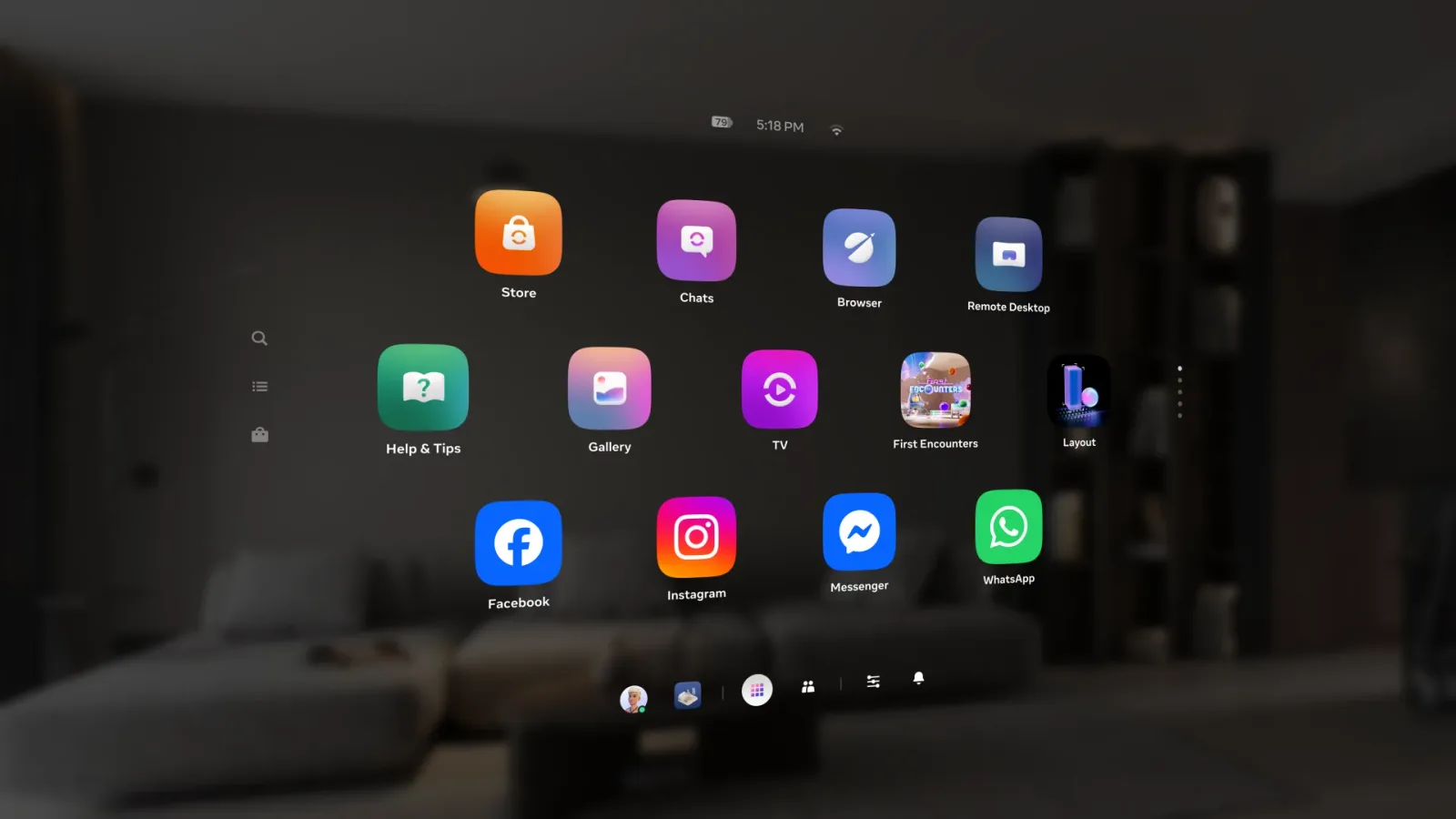
Meta has rolled out a broad software update across all Meta Quest headsets, bundling a redesigned Navigator interface, hands-free AI voice control, and a new suite of privacy tools into a single release. The company detailed the changes in a post on the official Meta Quest blog, published August 25, 2026.
The most visible change is a reworked Navigator, the home-screen shell users see when they put on a headset. Meta streamlined the layout for faster access to apps and games, redesigned the controls used for recording and calls, and added a customizable app library that lets users organize software into folders. The update also swaps in a new default VR Home environment featuring mountains and waterfalls, and improves hand tracking so that grabbing and moving panels in space is less prone to accidental releases.
Meta AI, previously an experimental feature, is now available across the full Quest lineup. The voice-activated assistant can navigate the device and carry out actions across apps, though the rollout is opt-in and currently limited to English-language users in the US and Canada. Alongside it, Meta introduced a hands-free Voice Control mode that lets people navigate menus using spoken commands and head gaze rather than controllers, plus an on-device Voice Dictation feature for speech-to-text that works without an internet connection.
The update also brings a handful of interface conveniences: apps and windows can now auto-snap and resize against nearby walls, an experimental "surface keyboard" feature turns flat physical surfaces into virtual input devices, and photos and videos in the Gallery app now open in 3D automatically, with support for uploading content through the Horizon mobile app. Quest 3S owners gain a customizable action button through Settings, and the system now supports switching between dark and light themes without a restart. Meta also added automatic app offloading, which frees storage by removing rarely used apps while preserving the ability to restore a session automatically, and a FrameSync feature aimed at reducing motion lag.
On privacy and security, Meta added a real-time indicator, a purple dot in the control bar, that alerts users when an app is actively using a sensitive permission, along with more granular controls over which apps can access photos and videos. The Quest Browser now supports passkey sign-in for services including Google, YouTube, and Discord, and the system performs local, on-device scanning for malware in sideloaded applications.
Meta said the full list of changes is documented in its Quest release notes, which it updates alongside future software pushes. The company did not specify a version number for this release or say when the opt-in Meta AI features might expand beyond English-language users in the US and Canada.